Android Phones & Tablets: How do I set my location for Altitude+?
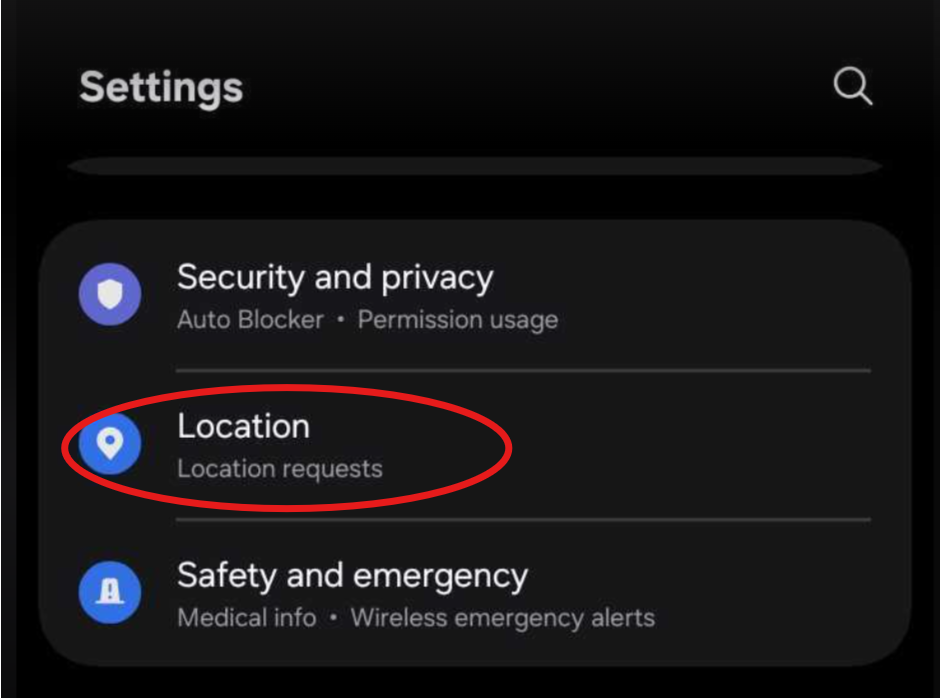
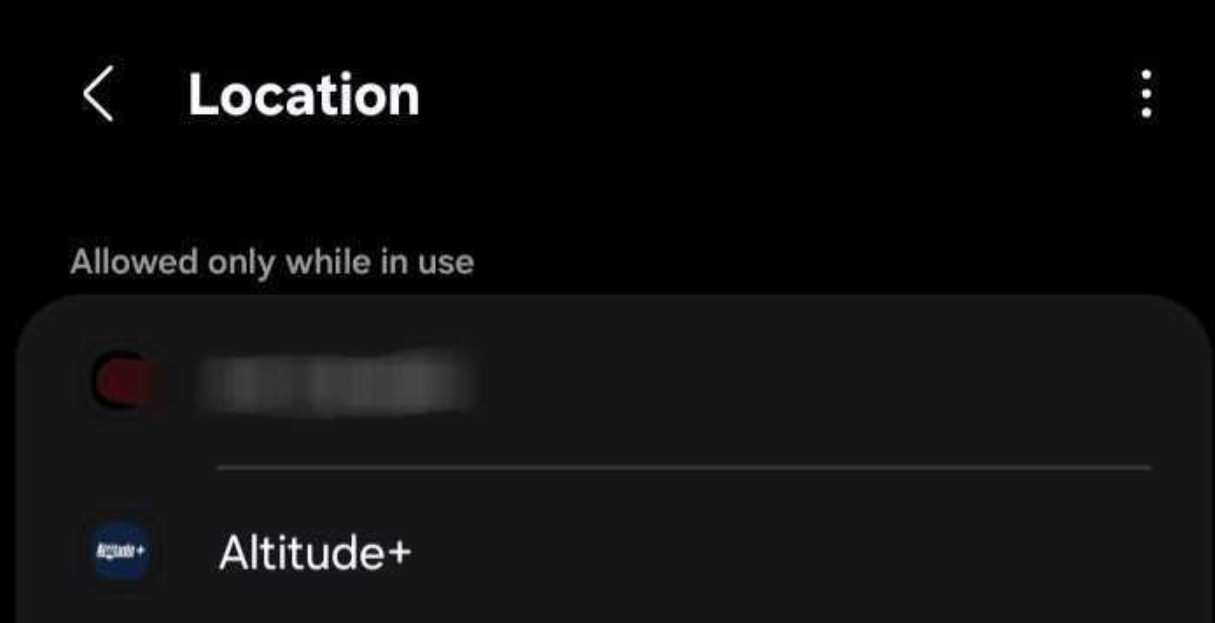
Go to Settings > Location > App Permissions.
Find Altitude+.
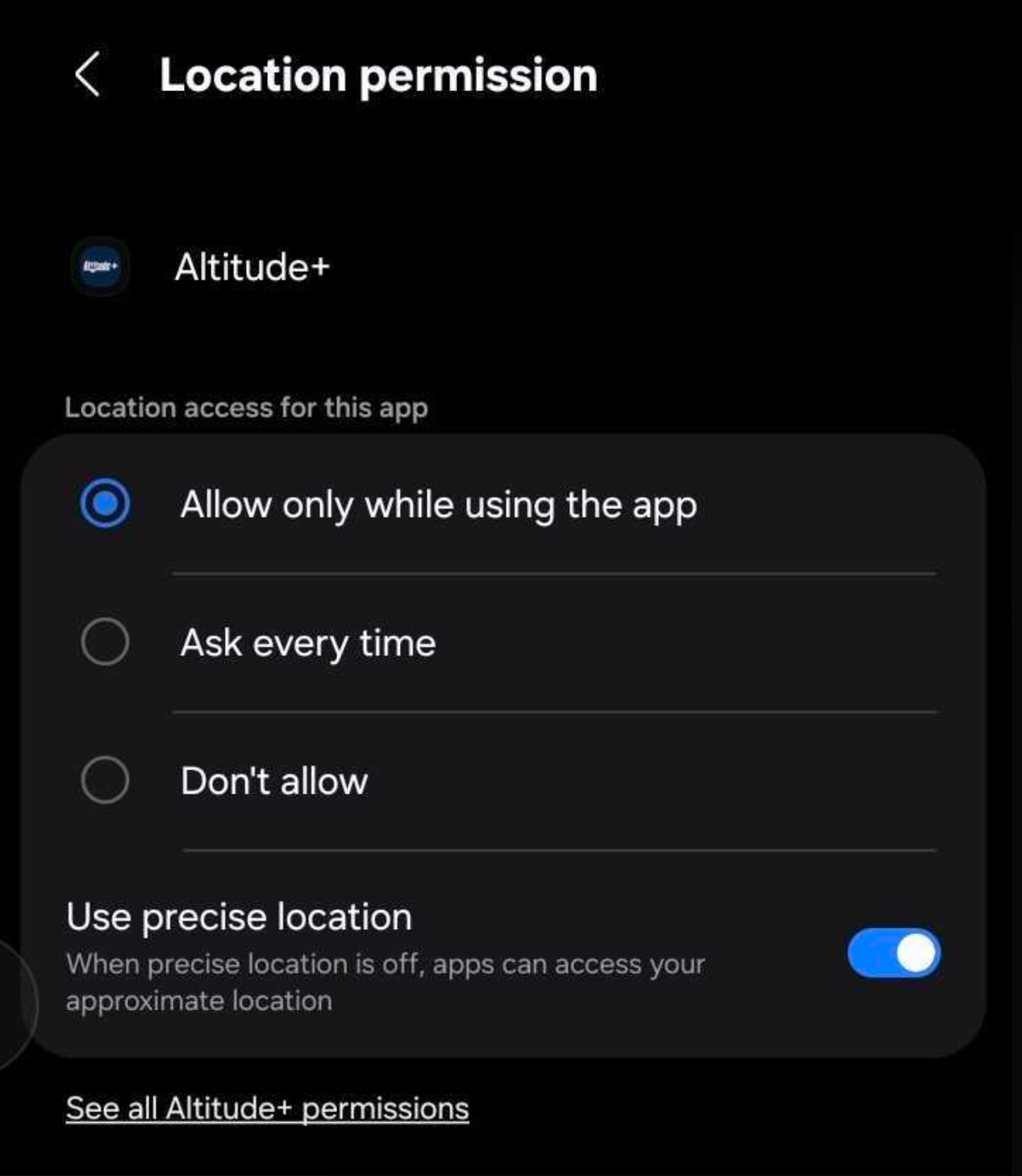
Select "Allow only while using the app".
Ensure "Use Precise Location" is enabled (toggle ON).
Was this article helpful?
That’s Great!
Thank you for your feedback
Sorry! We couldn't be helpful
Thank you for your feedback
Feedback sent
We appreciate your effort and will try to fix the article