TV streaming sticks do not have GPS chips. They rely entirely on your IP address. If your IP address drifts, the TV will think you moved.
Reboot your Router: Unplug your modem/router for 30 seconds. This is the #1 fix for TV location errors.
Update the App: Ensure the Altitude+ app is updated to the latest version in the App Store.
Reinstall: If the error persists, Delete and Reinstall the app. This forces the device to re-download the latest territory maps and re-check your IP.
Fire TV Permissions: Go to Settings > Applications > Manage Installed Applications > Altitude+ > Permissions and ensure "Location" is allowed.
If the location shown is still incorrect, you can manually update your home location:
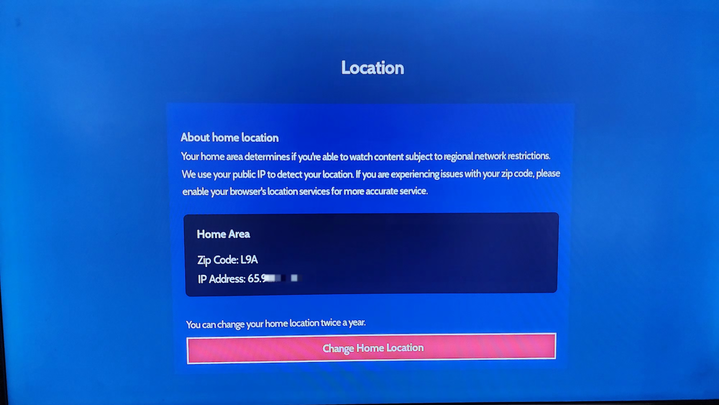
Go to Account >
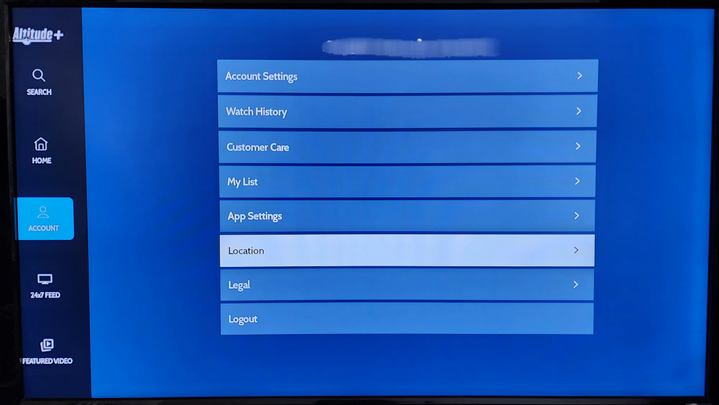
Location >
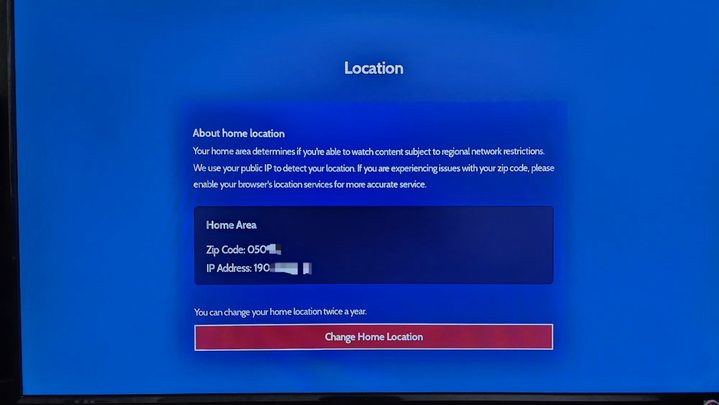
Change Home Location.
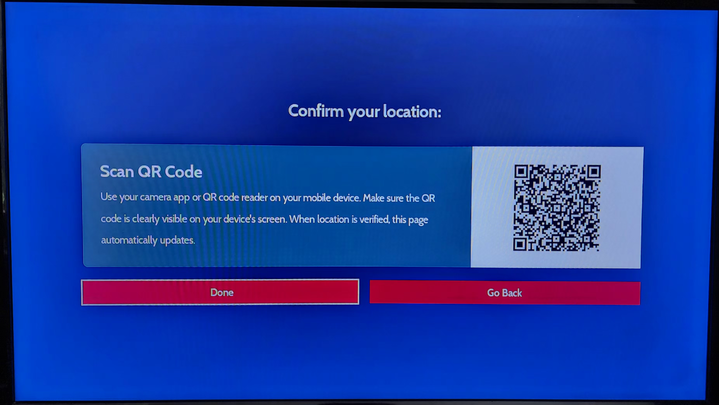
Scan the QR code and allow acces on your phone
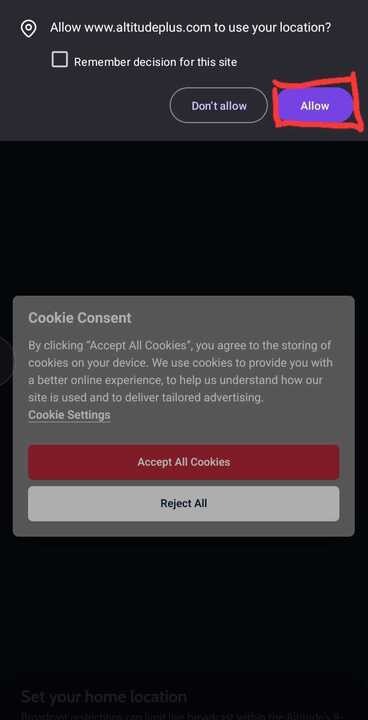
Select Continue
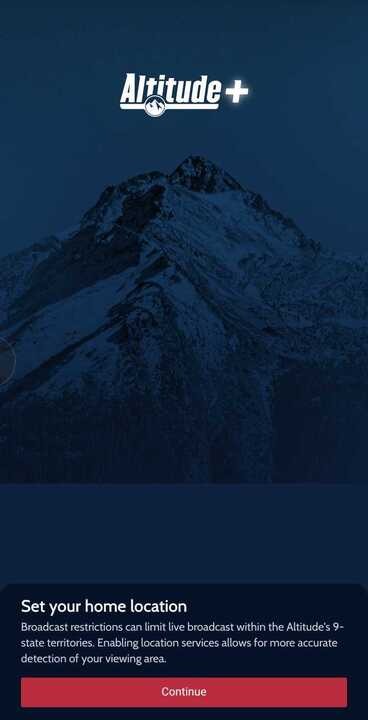
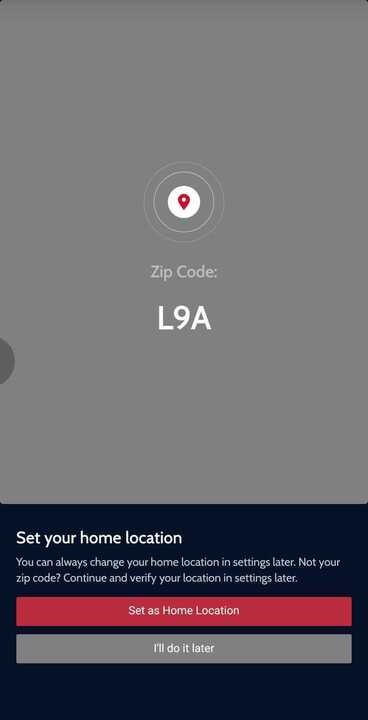
Select your correct home location and then tap Confirm.
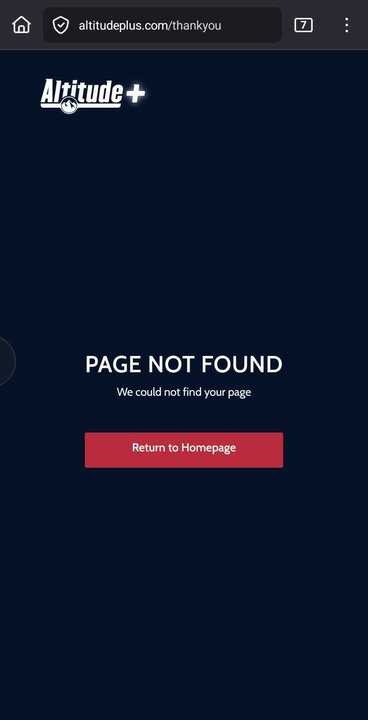
You will be redirected to a new window. An 'Not Found' page may appear, but your location should now be updated on your TV.
Was this article helpful?
That’s Great!
Thank you for your feedback
Sorry! We couldn't be helpful
Thank you for your feedback
Feedback sent
We appreciate your effort and will try to fix the article
